In this guide
Voice-over helps viewers follow a video when the speaker is not appearing on screen. You will hear it in commercials, entertainment and educational videos. The right delivery depends on the audience, the subject and what the pictures already explain. A product demonstration, a staff update and a character performance each ask something different of the voice artist.
This guide covers four common voice-over formats: explainers, narration, corporate video and entertainment. Use them as starting points for a brief, then choose the voice and delivery that help your particular audience follow the story or explanation.
What is voice-over?
A voice-over is a recorded voice added to a video or other media. It might explain a process, introduce a subject or speak as a character in a film, animation, or game. The recording is edited alongside the pictures, with pauses and emphasis timed to what viewers see. This differs from simply recording a speaker who appears in the shot.
When planning video content from brands, consider what the voice needs to add to the pictures. A narrator can explain context, guide attention or connect scenes, but does not need to describe every visible action. Decide which information belongs in the script and which can be shown.
1. Explainer
The explainer video format has become popular online. The concept involves breaking down a complicated concept into a form that is easy for viewers to follow and understand. Typically, this is accompanied by animation or motion graphics as the explainer video walks the audience through the idea and explains it.
Plan the spoken explanation alongside the visuals so that each supports the other.
The voice artist guides viewers through the explanation while the animation shows the process or example. Leave enough time for each step to make sense before introducing the next one. Captions remain useful for accessibility and people watching without sound; plan their position so they do not cover important labels or actions in the animation.
As you can see, animated explainer videos can introduce unfamiliar ideas at a pace viewers can follow. Give the artist a brief about the audience’s existing knowledge, any technical terms and the intended tone. Listen to a short sample against the pictures before recording the full script, especially where pronunciation or timing needs care.
For medical content, consider what the intended viewer already understands and how they may feel about the subject. Avoid assuming that everyone has the same knowledge or concerns. Have the appropriate subject specialist review the script, and brief the artist on pronunciation, emphasis and a respectful delivery.

2. Narration
Narration connects scenes and gives the viewer context that the pictures alone may not provide. It can introduce a place, explain a change over time or guide the audience through a recorded presentation. Audiobooks offer useful examples of sustained vocal storytelling; this article on audiobook trends in 2020 provides historical background, rather than a current measure of demand for video narration.
A recorded presentation is a practical example. Adding narration to PowerPoint slides lets the presenter explain charts, introduce examples and connect ideas without attending every viewing. Write the narration for someone seeing the slides for the first time, then record in sections so mistakes are easy to replace. Check that each slide remains on screen long enough for viewers to read it and follow the spoken explanation.
Narration also appears in audiobooks and radio, where the voice may need to establish the setting without pictures. Listening to these formats can help when briefing a video narrator: notice where the speaker pauses, how they distinguish characters and which details they emphasise to help listeners follow the story.
3. Corporate
Corporate voice-over may introduce a business, explain a service or guide staff through a procedure. The delivery should suit the viewers and the setting, whether that is a sales presentation, an internal update or a training module.
A corporate audience may include experienced specialists, new staff and customers who have never used the service. Establish who will watch before deciding how much background to include. Explain unfamiliar terms where needed, and avoid spending time on information the intended viewers already know. If the audiences have different needs, separate versions may work better than asking one script to address everyone.
For example, a supermarket operations team may need a detailed explanation of a new stock-control process, while a customer needs a short introduction to how the service works.
A professional voice artist can provide consistent delivery across a series of corporate videos. Supply a pronunciation guide, approved script and examples of the desired tone, then check that the read suits the people who will actually watch the video.
4. Entertainment
Voice-over work aimed at film, TV, and video games tends to lean more towards voice acting than any other category. The performative aspects of voice acting are more varied and less conventional than a standard voice-over project.
The emotion and context of the story drive the range and style of a voice actor’s performance. The performance needs to hold the audience’s interest. The voice should suit the character, scene and emotion.
It is difficult to detail exactly what is included in this type of voice-over, as it is inherently not restricted by convention. It can be used in the most unusual ways to produce abstract films, or it can be used similarly to a standard narrator as a character expresses their internal monologue.
Films also use automated dialogue replacement (ADR), in which performers record dialogue again after filming. The new recording is matched to the timing and delivery of the original scene, often to replace noisy or unusable location sound. This is a different task from an off-screen narrator explaining the story and needs careful performance and synchronisation.
These four formats often overlap. A corporate film might combine a narrated introduction with an explainer section, while a training video may include character dialogue. Brief each part according to its purpose so the delivery remains clear and consistent across the finished video.
How do you record a voice-over for a video?
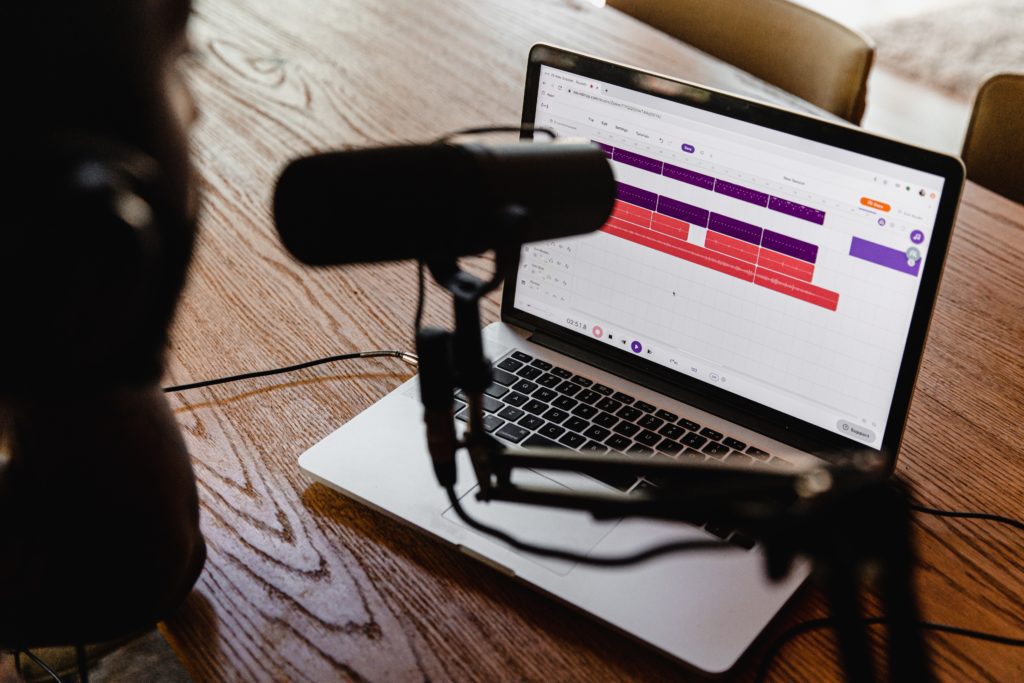
You can record your own voice for an informal update or a project where your personal delivery matters. Use a quiet room, a suitably positioned microphone and a short test recording to check the result. For a campaign, a long script or a series needing consistent delivery, a professional artist and recording engineer can be helpful.
Prepare the script alongside the visual plan. Read it aloud at the intended pace and check that there is time for pauses, demonstrations and on-screen information. For a medical explainer, for example, the voice might introduce a step before the animation shows it in detail. Review this timing with the editor and subject specialist before the recording session, while changes to the script and pictures are still straightforward.
Ensuring that the voice-over matches the video, thematically, is also essential. Decide what tone you want, be it authoritative, comedic, or nurturing; this will help you in the casting process. There is a wide array of voice-over casting services that can help shortlist artists for the languages, accents and delivery styles your project needs. For translated versions, allow time for a fluent reviewer to check meaning, pronunciation and whether the translated script fits the available screen time.
A recording studio provides a controlled space and someone listening closely to sound quality, consistency and performance. Before booking, agree how the session will be directed, who approves the read, which file formats you need and how later script changes will be handled. For multilingual work, nominate a reviewer for each language so the production team can resolve questions before completing the edit.
Use a video production brief to record the audience, tone, pronunciation and delivery requirements. Our corporate video production service covers planning the spoken message alongside filming and editing.
Match the voice to the video
Voice-over: frequently asked questions
Plan the delivery alongside the pictures.
How do the four voice-over formats differ?
Explainers guide viewers through an idea, narration adds context, corporate voice-over supports a business or staff message, and entertainment often calls for character performance. These formats can overlap within one video.
What should a voice-over brief include?
Include the audience, approved script, intended tone, pronunciation guide and visual plan. Agree on timing, direction, approvals, file formats and how later script changes will be handled.
Can we record our own voice-over?
You can record your own voice for an informal update or a project where personal delivery matters. Use a quiet room, position the microphone carefully and listen back to a short test. A professional artist and engineer can help with longer or more demanding work.
How should we plan translated versions?
Allow time for a fluent reviewer to check meaning, pronunciation and timing. Nominate a reviewer for each language and check whether the translated script fits the available screen time before completing the edit.

Ryan Spanger is the founder and managing director of Dream Engine, a Melbourne video production company established in 2002. Over the past two decades, he’s produced hundreds of videos for businesses, government departments, universities and healthcare organisations across Australia. Ryan specialises in helping organisations explain complex ideas through clear, engaging video content, with particular experience in corporate communications, training and education.