
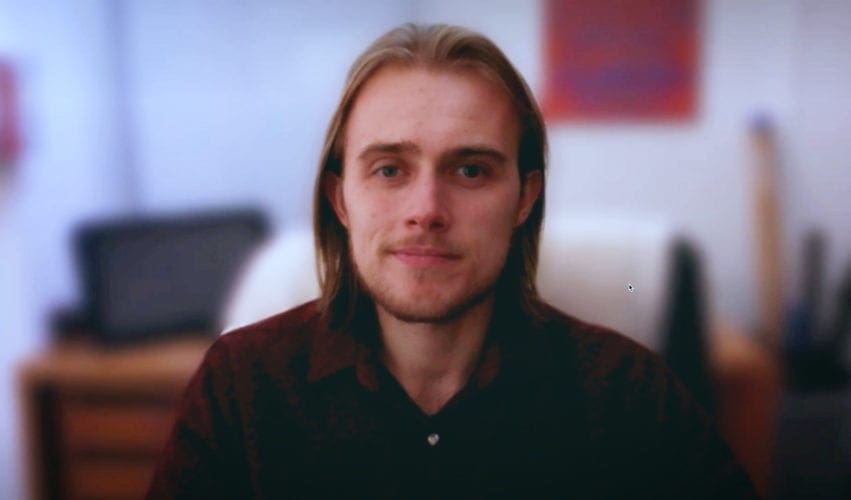
This guide is for a person who has already been scheduled to appear in a Dream Engine remote recording. It explains the simple checks that will help you look and sound your best and make the session easier.
If your organisation is still deciding whether this approach suits the project, see our remote video production service. A professionally crewed shoot normally gives us more control and higher picture and sound quality. Remote recording is useful when the right person is interstate, overseas or otherwise difficult to reach.
What will happen
Dream Engine will normally arrange a short technical check before the recording. We look at your room, camera, light, sound, internet connection and device. This gives us time to solve practical problems before you need to concentrate on the interview or presentation.
During the recording, a Dream Engine producer or director will guide you. We explain where to look, help with framing and delivery, and let you know when a line or answer would be worth trying again. You do not need to manage the production by yourself.
Choose the quietest suitable room
A small room with soft furnishings often sounds better than a large, empty room with hard floors and bare walls. Close doors and windows where practical. Listen for air conditioning, traffic, building work, pets, office conversations and computer fans.
The room also needs to be private enough for you to speak naturally. Let other people know when the session is happening and silence phones, notifications and other devices.
Keep the background simple and believable
Your background does not need to look like a studio. It should be tidy, relevant and free of anything private or distracting. A real office, home workspace or appropriate organisational setting is usually better than an artificial virtual background.
Check what can be seen around your head and shoulders. Remove confidential material, personal details, clutter and objects that appear to grow out of your head. We will help you make small adjustments during the technical call.
Put the camera near eye level
Place the computer or phone on a stable surface. Raise it if necessary so the camera is close to eye level, rather than looking sharply up from a desk or down from a high shelf.
Leave a little space above your head and frame from around the middle of the chest upwards unless we ask for something different. Sit far enough from the camera to avoid a very wide-angle view of the face, but close enough for the microphone to record you clearly.
Use soft light from in front
Face a window or place a soft lamp slightly in front of you. Avoid a bright window directly behind you, because the camera may make your face too dark. Strong ceiling lights can also create deep shadows around the eyes.
If daylight will change during the session, close blinds or curtains and use a controllable light where possible. Dream Engine may suggest a small light for an important recording when it will make a meaningful difference.
Get the microphone close enough
Clear speech is more important than an impressive background. A suitable external microphone or wired headset can help, but only when it has been tested with the actual device and recording platform. Built-in microphones can work when the room is quiet and you are close to the computer.
Use headphones if we ask you to. They can prevent the other person’s voice from feeding back into your recording. Avoid wireless earbuds if their connection is unreliable or their microphone sounds thin.
Check the device and internet connection
Use the same computer, browser, microphone, camera and room for the technical check and the recording. Connect the device to power. If possible, use a reliable wired internet connection or sit close to the Wi-Fi router.
Close unnecessary applications and browser tabs so they do not compete for processing power or display notifications. Corporate security settings can block camera, microphone or browser recording permissions, so involve your IT team early if the device is tightly managed.
Prepare the message without memorising every word
For an interview, think about the key points and examples you want to cover rather than writing complete answers. We will ask questions and guide the conversation. Pause before answering, speak in complete thoughts and do not worry if you need another take.
For a scripted presentation, keep the script open only where Dream Engine has planned how it will be delivered. Reading from notes placed far from the camera can make your eyeline wander. We may break a longer script into manageable sections.
On the recording day
- Join a few minutes early.
- Connect the device to power.
- Use the tested room, camera and microphone.
- Silence phones, notifications and nearby devices.
- Have water available.
- Wear the clothing agreed with the producer and avoid very fine patterns.
- Keep the full recording time clear so you do not feel rushed.
How the recording is captured
Where the device and IT environment allow it, Dream Engine uses a browser-based platform such as Riverside to record a higher-quality file locally while we direct the live session. You will receive a link and instructions. Allow the browser to use the camera and microphone when prompted.
After the interview, stay connected until the file has finished uploading. Closing the browser or shutting down too early can interrupt the upload. We will tell you when it is safe to leave.
If the preferred platform cannot work on the device, we may use Zoom or Teams as a fallback. We will explain the likely quality difference and confirm the best practical option.
What quality should you expect?
A remote recording is limited by the participant’s camera, microphone, room and internet environment. It will not normally have the same technical quality, visual coverage or location control as a professional crewed shoot.
Preparation still makes a substantial difference. A quiet room, careful framing, soft light, a reliable device and calm direction can produce a clear, credible result that is well suited to interviews, testimonials, training and internal updates.
You will be guided through it
You do not need to solve every technical detail before the first call. Dream Engine will check the real setup, explain what needs attention and help you concentrate on communicating clearly. If you have been invited to a remote session and are unsure about your device, room or timing, contact the producer before the recording day.

Ryan Spanger is the founder and managing director of Dream Engine, a Melbourne video production company established in 2002. Over the past two decades, he’s produced hundreds of videos for businesses, government departments, universities and healthcare organisations across Australia. Ryan specialises in helping organisations explain complex ideas through clear, engaging video content, with particular experience in corporate communications, training and education.

